


The most useful smart scale features make a routine easier to repeat and a changing number easier to interpret. Start with a readable display, reliable history, and settings that fit the people using the scale. A body-composition result is an estimate, so the most practical value comes from consistent conditions and longer-term patterns, not one isolated reading.
A Clear Display Makes Daily Check-Ins Easier
A display should let you confirm your weight quickly, without reaching for your phone or squinting before work. If a screen is hard to read, even a well-connected scale can become inconvenient enough to skip.
Look for large digits, strong contrast, and a display that stays on long enough to read. A backlit screen can help in an early-morning bathroom, while stable platform feedback can make it clearer when the measurement has finished.
For many households, these display details matter most:
- Large, high-contrast numbers that can be read from a natural standing position
- A stable reading indicator or short pause before the final result appears
- Clear units, such as pounds and kilograms, with a simple way to switch between them
- Enough screen time to read the result before the scale powers down
Choose the display based on the moment you will use it. A simple screen supports a quick habit, while a more detailed screen suits someone who wants immediate feedback without opening an app.
Trend Charts Turn Individual Readings Into Context
History is usually more useful than a single number because body weight can shift from normal day-to-day changes. Trend charts help you see the direction of several readings instead of reacting to one higher or lower morning.
Weight includes more than body fat, including water, muscle, and bone, and everyday factors can affect it. Body-weight context is a useful reminder that one reading cannot explain every change. A chart that shows weekly or monthly movement helps separate a short-lived fluctuation from a pattern that lasts.
Daily Readings
Daily entries work best when you can follow a similar routine. Weigh at roughly the same time, on the same hard and level surface, and use a moving average or seven-day view instead of treating a single day as a scorecard.
Longer-Term Views
Weekly and monthly views work best when daily numbers would make you overreact. Check whether charts stay available after a phone change or app update, and whether you can export a personal record.
Bluetooth and App Syncing Keep Your History in One Place
Bluetooth syncing is valuable when it transfers readings automatically and reliably. A bluetooth smart weight scale should send the correct measurement to your history with few steps, then make that history easy to review.
Before comparing apps, check what happens after a missed connection. Some scales sync as soon as the phone is nearby, while others require you to open the app. Choose the process that matches your normal routine.
Sync Reliability
Reliable syncing starts with a predictable pairing process. Check whether the app remembers the scale, reconnects after a phone restart, and separates readings from other household profiles. Review account recovery, privacy settings, and export options before building years of records.
Useful App Views
The best app screen answers your next question quickly. Favor a simple weight graph, date-stamped entries, and the ability to hide metrics you do not plan to track.
Multiple Profiles Matter for Shared Households
Separate profiles keep a shared scale from blending one person's progress into another person's history. This feature becomes essential when people in a household have similar weights or step on the scale at different times.
Automatic profile recognition can reduce manual work, but it is a convenience feature rather than a substitute for checking the result. Before buying, count regular users and check whether a mistaken entry can be reassigned easily.
Offline Storage Helps When Your Phone Is Not Nearby
On-scale storage prevents a short Bluetooth gap from becoming a missing record. If you prefer to weigh without your phone, choose a scale that can hold readings and transfer them later.
Check whether the scale saves the profile and timestamp, how many readings it can retain, and whether it uploads them in the right order. This is especially useful for travel, shared bathrooms, and phone-free mornings.
Measurement Modes Should Match How You Plan to Use the Scale
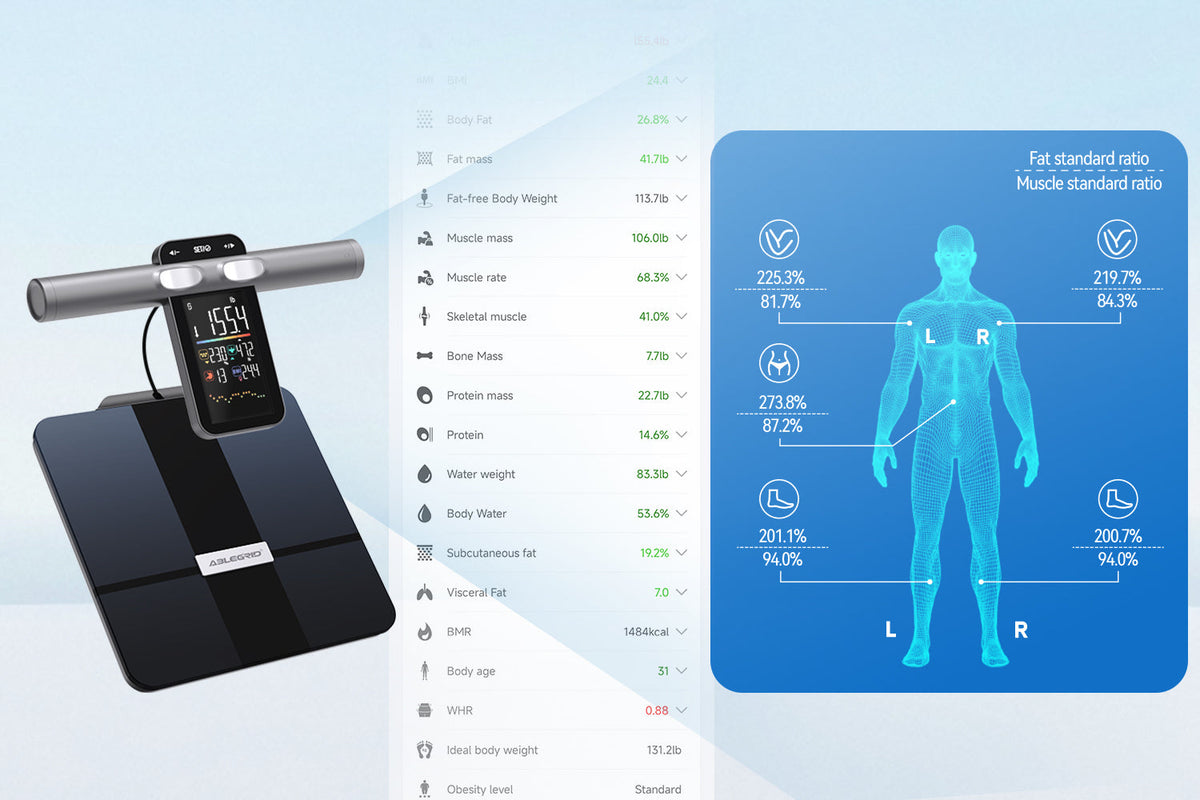
Measurement modes should support your purpose, rather than encourage you to chase every number a scale can display. A basic weight-only mode may suit someone who wants a clean record, while a bioelectrical impedance analysis (BIA) smart scale can provide body-composition estimates for someone who wants another trend to observe.
Weight-Only Tracking
Weight-only tracking is the clearest option when your goal is a simple, repeatable record. It keeps attention on a familiar number and its longer-term direction.
Body-Composition Estimates
A BIA smart scale estimates values such as body-fat percentage by sending a small electrical signal through the body. Those estimates are useful as trend data when readings are taken under similar conditions, but they are not a clinical test or a diagnosis.
Hydration can affect bioelectrical-impedance estimates, so compare like with like. Research on acute hydration and BIA estimates found that fluid intake affected several measured body-composition values. Use a consistent routine and focus on a pattern over weeks.
Athlete and Guest Settings
An athlete mode may apply a different estimate formula, while a guest mode can offer a one-time reading without adding it to a long-term profile. Read the manufacturer’s instructions before selecting either setting, and avoid switching modes from day to day.
Build a Feature Checklist Before Comparing Smart Scales
The right feature set is the one that supports a repeatable routine, not the longest specification list. Use this checklist to compare smart scale features against the way you plan to weigh, review, and share your data.
| Feature | What to Check | Why It Matters |
| Display | Digit size, contrast, and units | Makes a daily check-in easier to complete |
| Trend history | Weekly and monthly views, export option | Adds context to ordinary fluctuations |
| Bluetooth and app | Pairing, reconnection, privacy, and data recovery | Keeps records accessible over time |
| Profiles | Number of users and correction controls | Protects each person’s history |
| Offline storage | Saved readings, timestamps, and delayed sync | Prevents gaps when a phone is away |
| Measurement modes | Weight-only, BIA estimates, guest, and athlete settings | Keeps metrics aligned with your purpose |
Rank the three features you will use most often. A phone-free routine may prioritize display clarity, offline storage, and later syncing, while a regular fitness routine may put charts, profile accuracy, and export first.
Avoid paying extra for a long list of measurements that will not change your routine. The healthy-weight habits that last are broader than any device reading, so choose a scale as a practical recordkeeping tool, not as the only measure of progress.
Compare Features With Your Routine in Mind
Pick the scale features that remove friction from your routine and make your history easier to understand. A clear screen, dependable syncing, stored readings, separate profiles, and useful charts can turn a brief daily check-in into a better long-term record. Keep BIA results in perspective, measure under similar conditions, and let the trend, not one number, guide your next review.
Frequently Asked Questions
Q1: How often should I weigh myself with a smart scale?
Daily weighing can work if you use the same routine and focus on the weekly pattern rather than each result. Weekly weighing can be a better fit if daily changes feel distracting. Choose the schedule you can repeat comfortably, then use the same time of day and surface for more comparable entries.
Q2: Can I use a smart scale without a phone?
Yes, if the scale displays your weight directly, and offline storage can make phone-free use more practical. Check whether it stores readings for later syncing, how many it holds, and whether it transfers them to the correct profile once your phone is nearby.
Q3: Does Bluetooth use a lot of battery on a smart scale?
Usually no, but battery life depends on the scale’s design, display, sync behavior, and how often it is used. Check the power source, low-battery alert, and expected replacement or charging routine. A scale that reconnects easily may reduce repeated pairing attempts that add unnecessary friction.
Q4: Should children have their own smart scale profile?
It depends on the household’s needs and the app’s privacy controls. A child’s growth and weight should be interpreted with age-appropriate context, not adult goals or trends. If you have concerns about a child’s growth, discuss them with a qualified health professional instead of relying on a consumer scale alone.
Q5: What should I do if a smart scale reading changes suddenly?
First, repeat the measurement under the same conditions and confirm the scale is on a hard, level surface. Review recent changes in routine, timing, and hydration before drawing a conclusion. If an unexpected weight change persists or concerns you, contact a qualified health professional.

Leave a comment
This site is protected by hCaptcha and the hCaptcha Privacy Policy and Terms of Service apply.